Dictation in every app on your Mac
Click where you would type: a chat, an email, a document, a search box. Hold the right Option key, say it the way you would say it out loud, and let go. A second or two later the text is in the field, without the ums, with your corrections applied, and written the way that app expects.
Three steps, in any app
- Click in the field you want to write in.
- Hold the right Option key and speak, in Bulgarian or English.
- Let go. Glas pastes the text where the cursor is and puts your clipboard back as it was.
Glas never presses Send. The text waits in the field until you have read it.
Chats: the way people text
In Messages, WhatsApp, Viber, Telegram, Signal, Messenger and Discord, Glas starts with a capital letter and keeps punctuation light, with no full stop at the end. Slack, Teams and Google Chat get the same, for work. Every example below is what Glas typed for the sentence above it.
Messages
Ами, ще закъснея, ъъ, десет минути, започвайте без мен.
Ще закъснея с десет минути, започвайте без мен
Yeah, uh, let's do eight, no wait, eight thirty at the usual place.
Let's do 8:30 at the usual place
Telegram
Видя ли мача снощи? Ъъ, какъв гол само.
Видя ли мача снощи? Какъв гол само
Email: full sentences
In Mail, Gmail, Outlook, Spark and the other email apps, Glas punctuates fully and puts the greeting on a line of its own.
Hi Maria, um, thanks for the call today, I'll send the contract on Friday, no wait, on
Thursday.
Hi Maria, Thanks for the call today. I'll send the contract on Thursday.
Gmail
Здравейте, ъъ, прилагам фактурата за септември, ако има нещо, пишете ми.
Здравейте, Прилагам фактурата за септември. Ако има нещо, пишете ми.
Documents, the browser and Terminal
In Notes, Pages, Word, Google Docs, Notion or a form on a website, Glas writes full sentences with full punctuation. In Terminal it writes a command the way you would type it, and Terminal and code editors get no style.
Terminal
git commit dash m fix the login bug
git commit -m "fix the login bug"
Your style for each kind of app
In Glas, Style has a setting for each kind of app: personal messages, work messages, email and everything else. Choose formal, casual or very casual, all lowercase, and add a rule of your own, such as "Write every number as digits".
See your words while you speak
While you hold the key, the listening pill at the bottom of the screen shows what Glas has heard so far, so you know it is following you.
Snippets
Save the text you type again and again, an address, an IBAN, a booking link, under a phrase. Say "my address" in any app and Glas types the saved text. The saved text stays on your Mac: only the phrase goes to Glas.
Everything you said, on your Mac
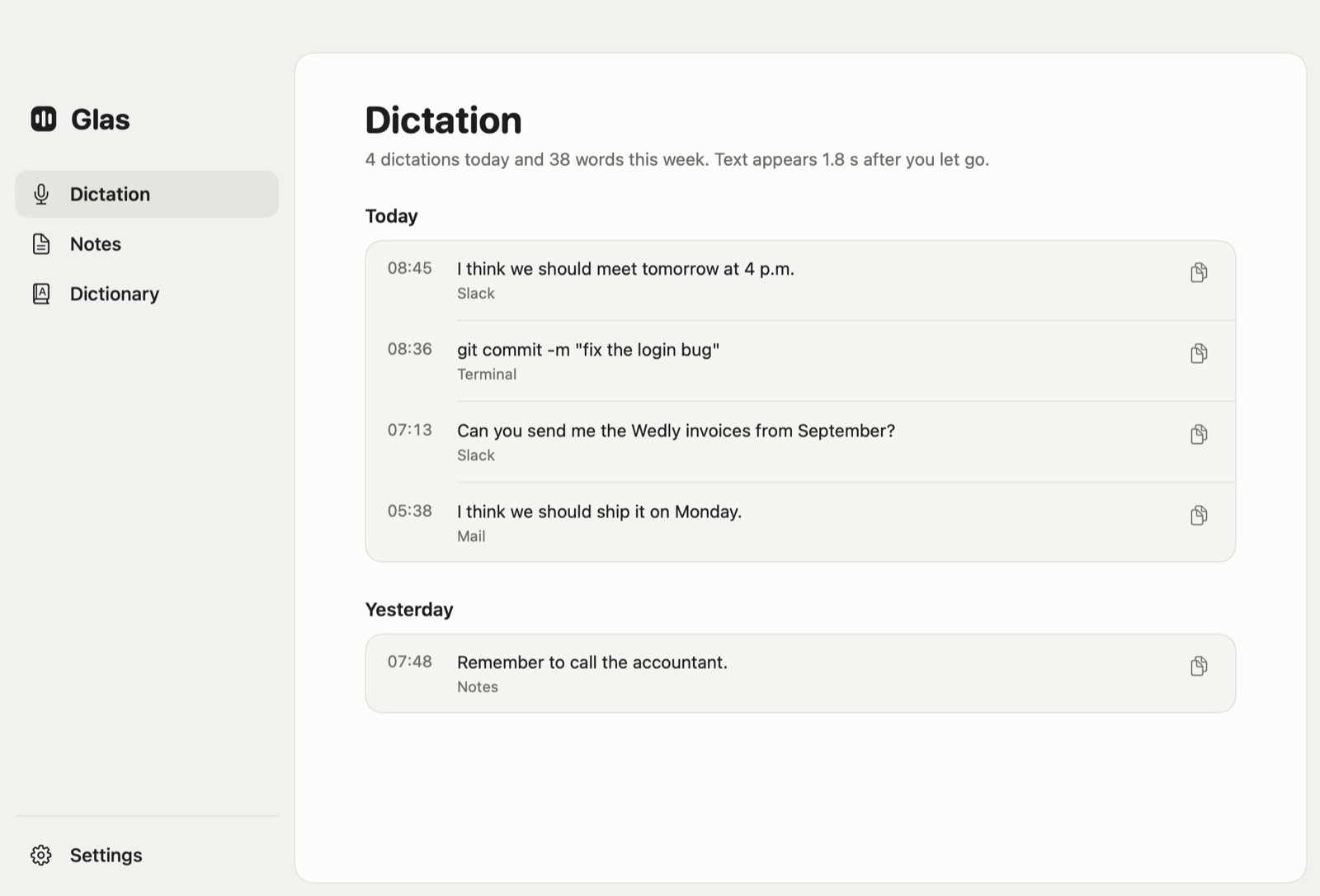
Glas keeps your last 1,000 dictations on your Mac, each with the app it went to. If the connection drops while you speak, Glas keeps the recording, and Retry Last Dictation in the menu sends it again.
Where your words go
- On Pro, your voice goes to Glas and on to OpenAI, which turns it into text. Glas keeps neither the sound nor the words, only how many there were.
- On Free, your Mac recognizes the speech, and only the words go out to be cleaned up.
Questions
Does Glas send the message for me?
No. It types the text into the field and stops there. You read it and press Send.
Does it work in WhatsApp Web, Gmail and other sites?
Yes. In a browser Glas types into whichever field has the cursor, and it knows Gmail, WhatsApp, Slack and other web apps by the window title, so they get the same style as their apps.
Do I need Pro?
Free types English, recognized on your Mac, up to 2,000 words a week. Bulgarian needs Pro, and every new account gets 14 days of Pro without a card. See pricing.